Run agents anywhere. Execute on your device host.
Use macOS for iOS Simulators, or Linux and macOS for Android emulators and connected Android devices.
One proxy. Many AI agents.
Run agent-device proxy on the Mac or Linux machine that exposes your iOS Simulators, Android emulators, or connected devices. Any AI agent can connect with agent-device connect. It's free, local-first, and under your control.
Machine you own
Runs the proxy and the simulator, emulator, or connected device.
$ agent-device proxy --port 4310✓ Proxy listening at http://127.0.0.1:4310Daemon base URL: <tunnel URL>Daemon auth token: <token>$ cloudflared tunnel --url http://127.0.0.1:4310https://tunnel-url.trycloudflare.comClaude
Terminal agent
agent-device connect proxy \ --daemon-base-url <tunnel URL> \ --daemon-auth-token <token>Vercel Sandbox
Remote sandbox agent
agent-device connect proxy \ --daemon-base-url <tunnel URL> \ --daemon-auth-token <token>What is agent-device proxy?
A lightweight proxy that bridges AI agents with the machine that can run your target device runtime. Keep agent logic in CI, a cloud IDE, or a sandbox while commands execute on the right host.
Host Devices Where They Run
iOS Simulators require macOS. Android emulators and connected Android devices can run from Linux or macOS. Your agent can orchestrate from anywhere.
Works With Any Cloud Agent
Cursor, Copilot, Claude Code, or your own custom agent. If it can make HTTP requests, it can control mobile apps.
Simple Remote Setup
Start the proxy on the device host, expose it with your tunnel of choice, then connect your agent to the remote profile.
Secure by Default
You choose the network boundary: keep traffic private on your LAN or use a tunnel provider when agents run elsewhere.
Core Use Cases
Run agent-device on the go
Use your device host from anywhere. Connect cloud IDEs like Cursor or terminal agents like Claude Code directly to the machine that runs your simulator, emulator, or connected device.
Run agent-device on CI/CD
Connect agent-device to your existing workflow for automated PR reviews, or set one up from scratch. Run your agent from standard CI runners and get real results from the right device host.
The Workflow:
- 1Agent triggers a flow from CI.
- 2Runs it remotely on an iOS simulator, Android emulator, or connected device.
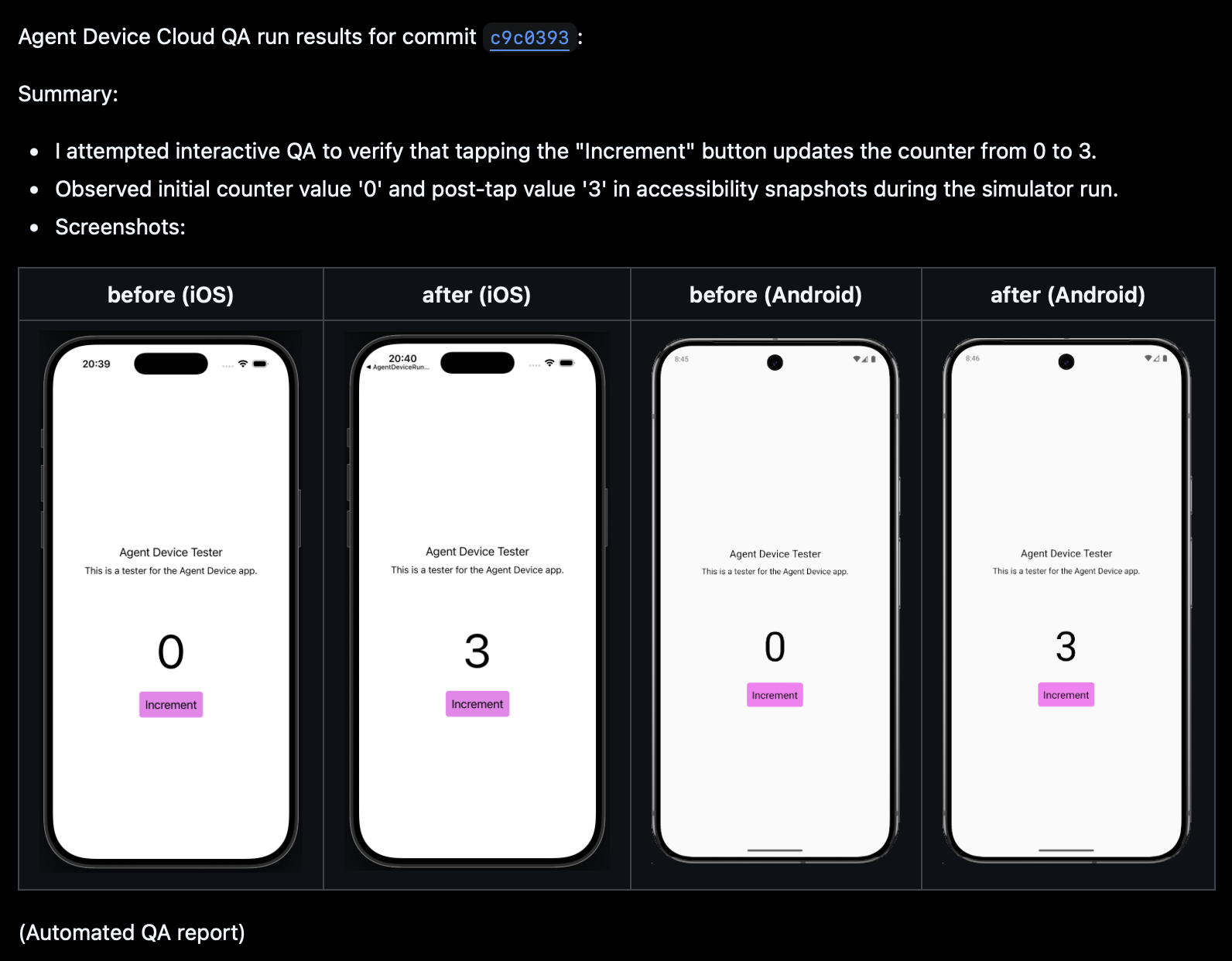
- 3Posts back screenshots, logs, and a structured summary to the PR.
agent-device-bot
commented just now